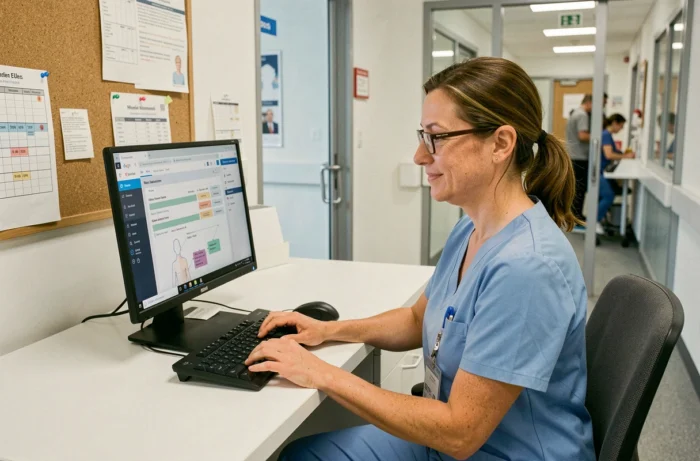
How to measure the actual contribution of a computerized user file software in the daily life of a nursing home (EHPAD)? NETSoins, deployed in the establishments of the Colisée group, centralizes the administrative, medical, and paramedical data of residents on a single web interface. For caregivers, the question is not whether the tool exists, but what it concretely changes in the traceability of care, the management of access rights, and exchanges with external platforms.
NETSoins Modules and Functional Scope: Summary Table
Before detailing the field uses, an overview of the available modules helps to situate what the software covers and what remains outside its scope.
| Module | Main Function | Concerned Users |
|---|---|---|
| Electronic Medical Record | Centralization of medical history, prescriptions, allergies | Coordinating physician, nurse |
| Targeted Transmissions | Structured entry of observations by target (pain, nutrition, behavior) | Care assistants, nurse, nurse coordinator |
| Resident Life Project | Monitoring of personalized objectives and reassessments | Multidisciplinary team |
| Telemedicine | Integrated teleconsultation, compatible with the digital Ségur | Physician, nurse |
| Administrative Management | Admission, billing, statistical reporting | Management, secretariat |
| Omnidoc Link | Pre-filled tele-expertise from the patient file | Physician, nurse (administrator access required for configuration) |
This table shows that each module is aimed at a specific professional profile. A care assistant does not access detailed prescriptions, and a coordinating physician does not consult bathing schedules. This segmentation is based on a system of authorizations by profile.
Caregivers discovering the Netsoins Colisée software in nursing homes should check upon starting their position which modules are actually available to them, as rights vary from one establishment to another depending on local settings.
Omnidoc Gateway and NETSoins: What the Configuration Really Requires
The connection between NETSoins and the Omnidoc tele-expertise platform illustrates a common gap between the promise of interoperability and the on-the-ground reality. The official Omnidoc tutorial details the prerequisites: an administrator access on NETSoins and an active Omnidoc account.
The procedure goes through the NETParameters module, under the “Configuration” section, then “Useful Links,” where a link to Omnidoc is created. Once activated, this link allows for one-click pre-filling of resident information (name, first name, social security number, address) in a tele-expertise request.
Common Blocking Points to Anticipate
- The “Useful Links” option in NETParameters is not always enabled by default. If it is missing, the attachment organization must be contacted to unlock it.
- A caregiver with a standard account cannot configure the gateway. Only an administrator profile has the necessary rights, creating a dependency on the IT referent of the establishment.
- The pre-filled data is limited to the administrative fields of the resident. Medical history or attachments from the file do not automatically transfer to Omnidoc.
This technical detail is rarely mentioned in the software’s commercial presentations. It explains why some establishments have the functionality without using it: interoperability exists in theory but depends on a manual configuration that few caregivers master.
Access Rights and Sensitive Data: What the DUI Does Not Resolve Alone
A computerized user file inherently centralizes sensitive health data. NETSoins meets the requirements of HDS hosting (health data hosting) and GDPR. All accesses are tracked, with a complete history of actions.
The technical compliance of the software does not exempt the establishment from actively managing authorizations. The family link, for example, does not grant a general right of access to the resident’s file. Teams must handle requests from relatives on a case-by-case basis, distinguishing between communicable information and that which is subject to medical confidentiality.
Digital Traceability and Quality of Transmissions
Keeping information in the DUI does not equate to transmitting it effectively. A NETSoins file can contain hundreds of entries without any alerts being clearly formulated or addressed to the right interlocutor.
Traceability records who entered what and when. It does not guarantee that the content entered is usable by the next professional. The quality of transmissions depends on writing practices, not the software.
Targeted transmissions (structured format: target, data, actions, results) reduce this risk compared to free narrative transmissions. They impose a framework that forces the caregiver to precisely identify the problem, factual observations, and the actions taken.
Digital Ségur and NETSoins Compliance: Obligations for the Establishment
NETSoins is listed as software compatible with the Digital Ségur in health, a program that imposes data exchange standards on medical-social software publishers. For a nursing home using NETSoins, this compliance translates into the software’s ability to communicate with the Shared Medical Record (DMP) and secure health messaging.
Ségur compliance is that of the publisher. The establishment must verify that the flows are indeed activated and that residents (or their legal representatives) have been informed about the feeding of their DMP. A compliant software does not make the establishment compliant if internal procedures do not follow suit.
NETSoins provides the infrastructure. The configuration of authorizations, training of teams in targeted transmissions, and access control remain the responsibility of each establishment. A well-configured DUI accelerates coordination between caregivers, nurse coordinators, and coordinating physicians. Poorly configured or underutilized, it becomes a mere digital archiving without impact on the quality of care.